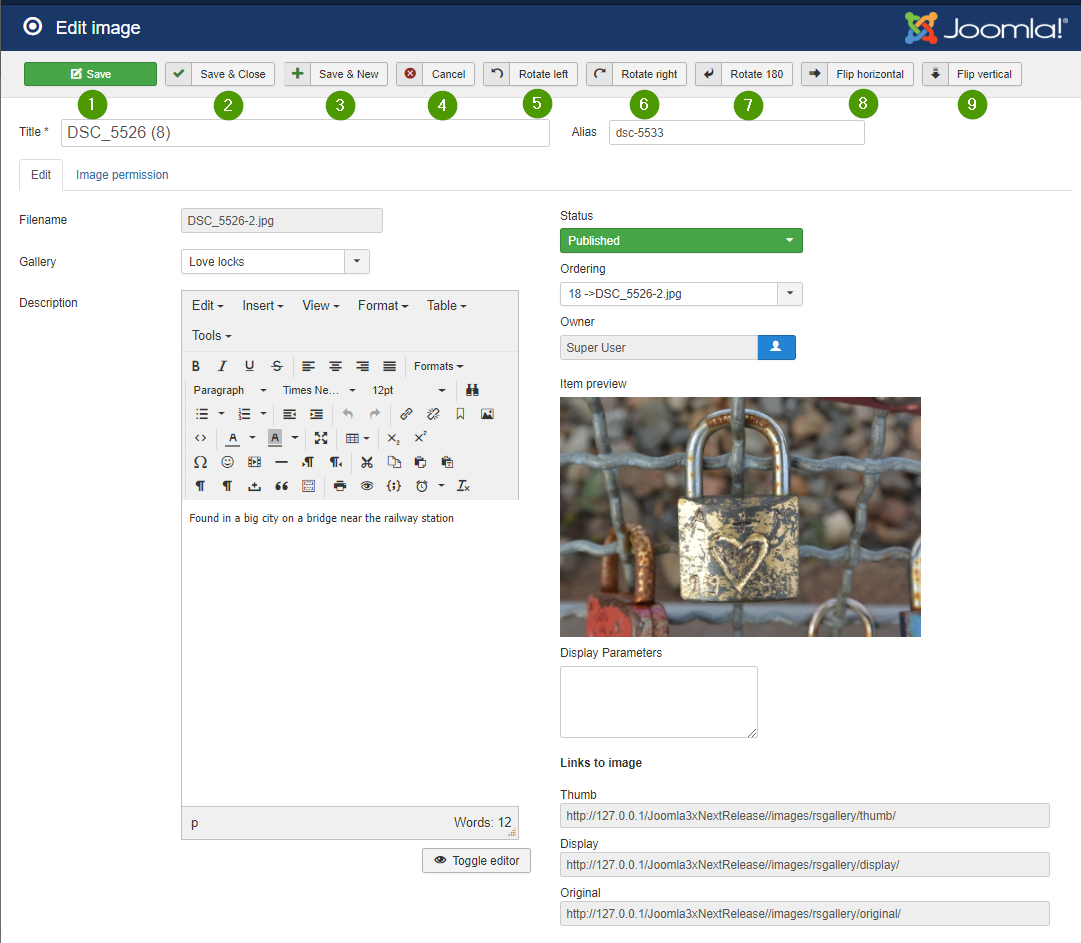
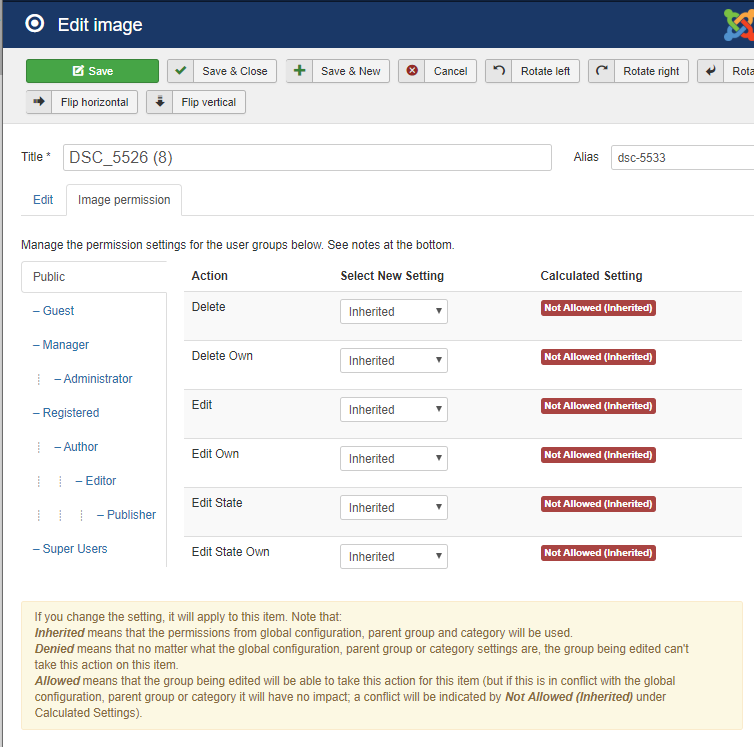
[ ] ToDo: fill out see: RSGallery2_Project\Documentation\J!3x\GalleriesBackend\GalleryEditView.md (Needs completion of edit view first, kann für vorhandene Teile gestartet werden) (1) Title Is derived from the file name when uploading. May have been changed when it was edited in image property view. (2) Filename File name of uploaded file on server. May be different from the image name on the PC due to character restrictions in URL or server operating system (3) Gallery Tell or changes the parent gallery (4) Description Text which is displayed in the gallery view if enabled in the configuration (5) Status Publish or hide the image (6) Ordering Change appearance order (7) Owner Tells user who uploaded the image (8) Item Preview Shows a medium sized view of the image (9) Display parameters Add parameters used in display of the image to overwrite settings from the configuration for this image. (10) Links to image Tells the path of the image as URL link (1) Save Saves the changes (2) Save and close Saves the changes and exits the edit view (3) Save and new Saves the changes and opens an empty edit view (4) Cancel Exits the edit view (5) Rotate left (6) Rotates right (7) Rotate 180 (8) Flip horizontal (9) Flip verticalImages Edit View

Use the form of Name='value', one assignment per line.
Sadly the name of the item has to be derived from the config control name.